Cleaning up after your agents with wt done
June 15, 2026 · 3 min read
Part of wt →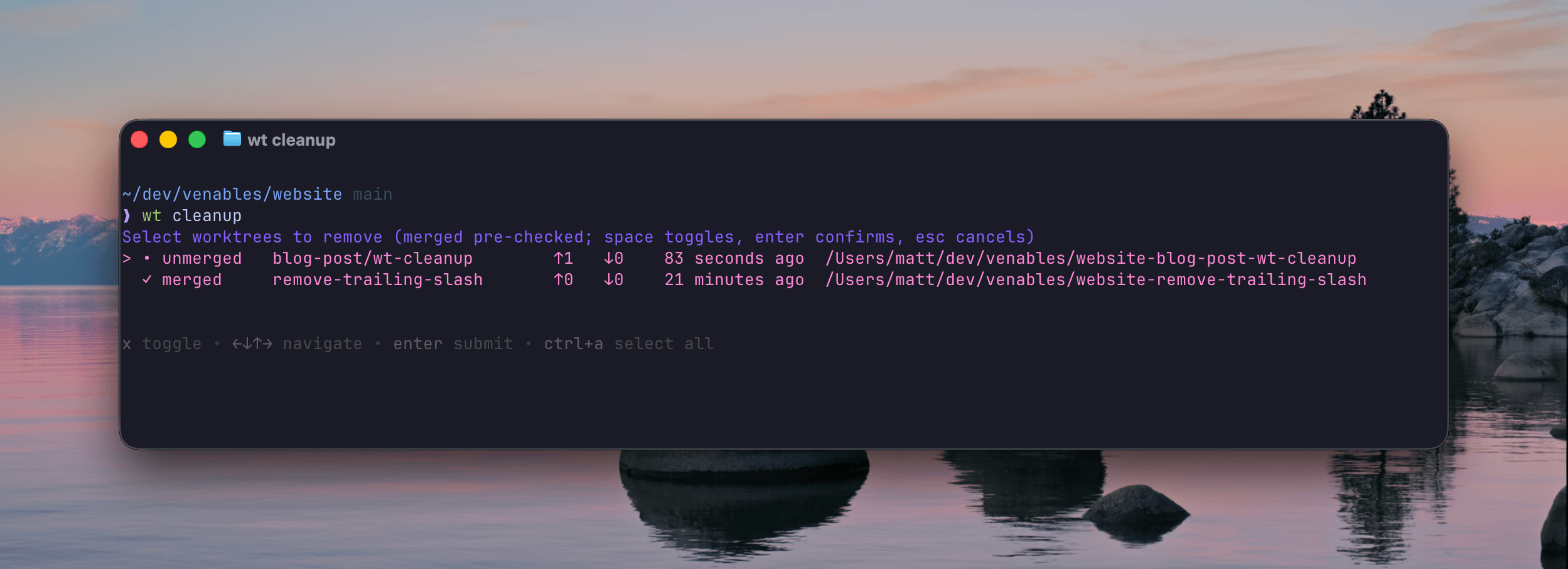
Quick follow-up to wt, my git worktree
wrapper.
Spinning up worktrees is the easy part. Run a few agents in parallel for a week and you end up with a drawer full of them. Some merged, some abandoned, a couple you forgot you made.
So the last round of updates is about the rest of a worktree’s life: tearing them down cleanly when you’re done, and running your own setup on the way in.
wt done
This is the one I reach for constantly. You’re finished with a branch, the PR’s merged, you want out:
wt done
It removes the worktree you’re standing in and drops you back in main, in the
proper directory. One command, no path to type, no cd. If there are
uncommitted changes it’ll stop and tell you, or wt done -f to force it.
That covers 90% of cleanup, right when you finish each branch.
wt cleanup
For the other 10%, the worktrees you didn’t wt done out of, there’s the
periodic sweep. wt cleanup used to show a flat list and ask you to type index
numbers, so you were kinda guessing which ones were safe to delete.
Now it opens an interactive picker. Arrow keys to move, space to toggle, enter to confirm. And every row tells you how stale the worktree actually is:
- whether the branch is merged into main
- how many commits ahead and behind main it sits
- when it last changed
Select worktrees to remove (merged pre-checked; space toggles, enter confirms)

  ✓ merged     old-spike      ↑0 ↓42  3 weeks ago     ../myrepo-old-spike
  ✓ merged     fix/login      ↑0 ↓11  6 days ago      ../myrepo-fix-login
  • unmerged   wip/billing    ↑3 ↓2   20 minutes ago  ../myrepo-wip-billing
Merged branches come pre-checked, since a branch that’s already in main is the safe one to drop. So most of the time you just hit enter. The unmerged stuff, like the one you touched 20 minutes ago, you leave alone unless you toggle it on.
The picker is built on gum from Charm.
Install wt with Homebrew and gum comes along for the ride. Grab it some other
way and cleanup falls back to the old numbered prompt, same staleness columns,
you just type the numbers.
Hooks, on both ends
The first post copied your .env files into a new worktree. Now you can run
real commands. Drop an executable script at
~/.config/wt/hooks/post-worktree-add and wt runs it right after creating the
worktree:
# ~/.config/wt/hooks/post-worktree-add
#!/usr/bin/env bash
set -euo pipefail
cd "$WT_PATH"
pnpm install --frozen-lockfile
So wt feature/login can hand you a worktree that’s already installed and ready
to run, not just one with the files copied over. Install deps, trust your mise
config, seed a scratch database, whatever the repo needs to boot.
There are matching hooks on the way out too (pre- and post-worktree-remove),
so wt done and wt cleanup can tear down whatever you set up. Each hook gets
WT_PATH, WT_BRANCH, WT_REPO_ROOT, and WT_REPO_NAME in its environment.
Upgrade
brew upgrade wt
Run wt doctor to confirm gum got picked up.